What Is a Monitor Panel? A Guide to IPS, VA, TN, OLED, and QD-OLED
Monitor panel types and their uses shape everything from color accuracy to gaming speed, since each panel technology handles light differently. TN offers fast response times for competitive gaming. IPS balances accurate colors with wide viewing angles for everyday use. VA delivers deep contrast for movies and dark scenes. OLED and QD-OLED deliver true blacks, instant response times, and premium visual quality for high-end setups.
Two monitors at the same price, size, and refresh rate can look nothing alike. The panel is why. It controls light at the pixel level, deciding color accuracy, black depth, viewing angles, and whether fast motion smears.
What Is a Monitor Panel?
A monitor panel is the main display layer that creates the image on screen. It controls light at the pixel level, affecting color, contrast, brightness, viewing angles, motion, and overall picture quality. The panel shapes how a monitor looks.
Comparing panel types means assessing how they perform day-to-day. Some suit fast gaming. Some give accurate colors. Others give deep blacks or strong contrast. Common panel types include TN, IPS, VA, OLED, and QD OLED.
Panel Type and Display Technology Are Not Always the Same Thing
Panel type and display technology are related but different. IPS, VA, and TN describe LCD panel structures. OLED is a separate self-emissive technology. LED usually means the backlight behind an LCD panel, not the panel itself. Mini-LED also describes a backlighting method. So two monitors can both be called LED monitors but use different panels.
How an LCD Monitor Produces an Image
An LCD monitor does not produce light on its own. Instead, it uses a backlight behind the panel and controls that light with several layers so the screen can display images, text, and color. In most modern displays, that backlight comes from LEDs, which is why so many products are labeled as “LED monitors” even though the display itself is still LCD.
Inside the panel, light passes through polarizing layers and a liquid crystal layer. Voltage changes the crystals' alignment, controlling how much light passes through each subpixel. That light then goes through red, green, and blue filters. Varying these RGB subpixels creates the full range of colors on screen.
This basic process is the same for TN, IPS, and VA monitors. What differs is how the liquid crystals are arranged and how they move with voltage. That gives each LCD panel type its own strengths in speed, viewing angles, contrast, and color.
TN Panel: Built Around Speed and Simplicity
TN, short for Twisted Nematic, is one of the oldest LCD panel types. Its main strength is speed. TN panels switch pixels very fast, which made them the top choice for competitive gaming before fast IPS and OLED became common.
The main downside is picture quality. TN panels usually have weaker colors, lower contrast, and narrower viewing angles than IPS and VA panels. Colors shift when viewed off center. The image can look washed out or darker from the sides, and even inverted from below. In short, TN focuses more on speed than image quality.
TN still works well for gamers who want fast response times, high refresh rates, and a lower price. It can be a good option for esports and fast-paced games, but it is less suitable for people who want a monitor for different types of work.
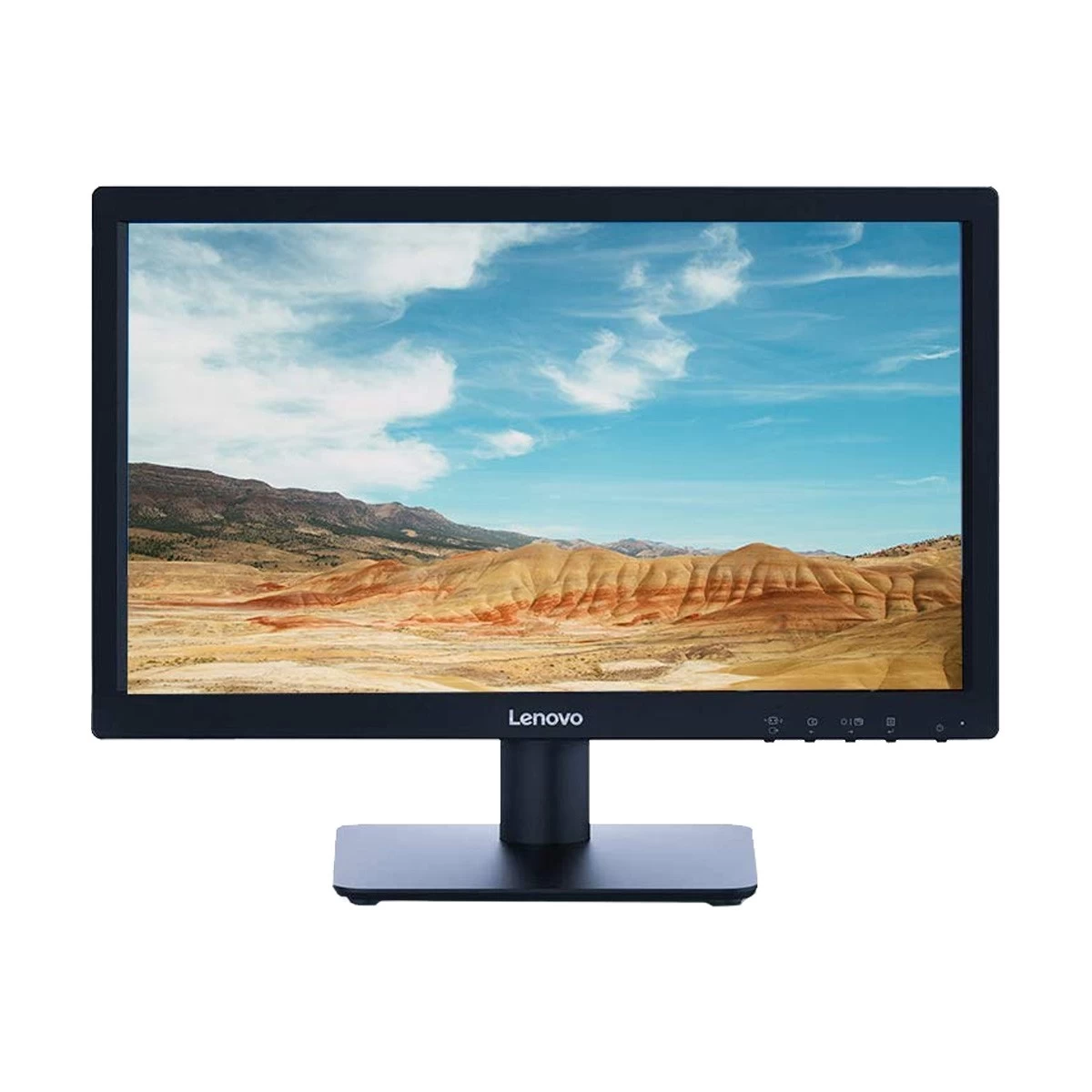
Lenovo
Lenovo D19-10 18.5 Inch HD HDMI VGA Monitor
18.5 Inch HD
TN Panel
60Hz
5ms
Compact 1366 × 768 HD monitor with anti-glare display,
HDMI and VGA connectivity, Low Blue Light technology,
VESA mount support and 3-year warranty.
IPS stands for In-Plane Switching. It’s one of the most balanced LCD panel types today. Its liquid crystals stay aligned parallel to the panel and rotate to control light. As a result, image quality stays consistent across wide viewing angles.
IPS panels are known for accurate and stable colors. They also offer wider viewing angles than TN panels. That makes IPS a good choice for office work, web browsing, creative work, and gaming. It’s especially useful for people who want a single monitor that handles different tasks well.
Compared with VA panels, IPS blacks can look greyer in a dark room. Some IPS models also show IPS glow, which appears as a faint haze in the corners when viewing dark content, especially from an angle. Modern fast IPS panels have also improved their response times, making them a strong all-round choice for image quality and gaming.
VA Panel: Strong Contrast for Darker Images
VA stands for Vertical Alignment. The name comes from the way its liquid crystals sit within the display layers. VA panels block light better than IPS and TN panels in dark scenes, giving them higher contrast and deeper blacks. A typical VA panel has around 3000:1 native contrast, about three times higher than the 1000:1 found on a standard IPS panel.
That strength makes VA especially appealing for movies, story-driven games, and general use in dim rooms. In shadowy or dark scenes, VA looks richer than IPS. It's also common in curved displays made for immersive gaming and media.
The main downside is motion performance. VA panels can exhibit slower dark-pixel transitions, which may cause smearing in fast scenes. This is more noticeable when dark objects move against dark backgrounds. Some newer fast VA panels have improved this issue, but VA is still better known for its contrast than its motion clarity.
ASUS
ASUS VP227HF 22 Inch FHD Eye Care Gaming Monitor
21.45 Inch FHD
VA Panel
100Hz
1ms MPRT
3-side borderless FHD monitor with Adaptive-Sync, 99% sRGB,
HDMI and VGA connectivity, Eye Care technology and 3-year warranty.
OLED works differently from LCD because it does not require a backlight. Each pixel makes its own light and can switch off fully for black. The result is true blacks, effectively infinite contrast, and precise control over each individual pixel.
OLED looks very different from LCD. Dark scenes look deeper, bright areas stand out more, and shadows stay clear without looking gray. OLED also responds very quickly, which makes motion look smoother in games. Since it does not need a backlight, OLED panels can also be very thin.
The main downside is the risk of image retention and burn-in. Modern monitors have features that reduce these problems, but it is still better to avoid leaving the same static image on the screen for long periods.
OLED also cannot stay as bright across the whole screen as a good LCD, so it may be less suitable for very bright rooms. Its unusual subpixel layout can also cause slight color fringing around small text.
QD-OLED: How It Differs From Regular OLED
QDOLED is still OLED, so it keeps self-emissive pixels: each pixel lights itself and can turn fully off. The difference is how color is made. Regular OLED usually refers to WOLED panels, which emit white light and use color filters. QDOLED starts with blue OLED light and uses quantum dots to convert part of it into red and green.
Quantum dots produce brighter colors than regular OLED. QD OLED also offers strong HDR, perfect blacks, and very fast response times. That makes it a great choice for HDR gaming and high-end visual work.
QD OLED panels, however, lack a polarizer. So, ambient room light can activate the quantum dot layer and lift blacks toward grey or purple. In a dark room, QDOLED blacks are perfect, but in a bright room, WOLED panels hold black depth better.
Overall, QD-OLED keeps the main benefits of OLED while improving color and brightness. It carries the same higher price and burn-in considerations as any OLED, so it needs some care with static images left on screen for long periods.
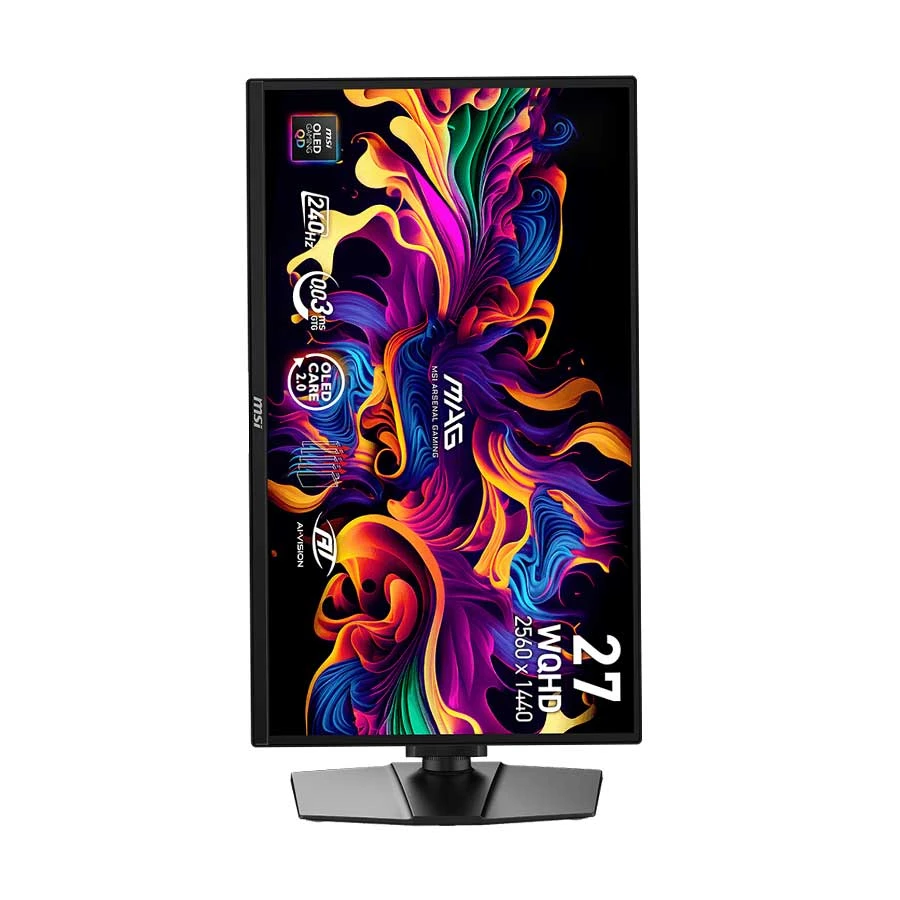
26.5-inch QD-OLED gaming monitor with 240Hz refresh rate, AMD FreeSync Premium,
HDMI, DisplayPort, USB-C with DP Alt Mode and 15W Power Delivery, adjustable stand
and 3-year warranty.
Mini-LED isn't a panel type. It's a backlighting system for LCD monitors. A Mini-LED monitor usually still uses an IPS or VA panel to form the image, with the Mini-LED layer behind it controlling light.
The backlight structure is what's different. Instead of a few large LEDs, it uses thousands of smaller LEDs grouped into dimming zones. It lets the monitor brighten one area while dimming another, improving HDR, contrast, and highlights over standard LED-backlit LCDs.
Still, Mini-LED doesn't control light per pixel like OLED. It works by zones, so bright objects on dark backgrounds can cause a glow, called blooming. Since the screen is still LCD, viewing angles, contrast, and motion still depend on the IPS or VA panel underneath.
Mini-LED is best seen as a premium LCD upgrade. It doesn't change the panel family, but it can significantly improve brightness and HDR.
And What Does “LED Monitor” Actually Mean?
LED monitor usually doesn't mean a different panel tech from LCD. Mostly, it's an LCD monitor using LED backlighting instead of the older CCFL backlights.
The image still comes from liquid crystals, like other LCD monitors. The LEDs just light the panel from behind. The correct term is LED-backlit LCD monitor, but the market has shortened it to "LED monitor."
So LED shouldn't be compared with IPS, VA, or TN. IPS, VA, and TN describe the panel structure, while LED describes the backlight. A monitor can be both LED and IPS, or LED and VA.
Seeing "LED monitor" in a listing doesn't reveal much about color, contrast, or viewing angles. Buyers still need to check the real panel type to know how it performs.
IPS vs VA vs TN vs OLED vs QD-OLED
If you want the simplest way to compare panel technologies, look at speed, color, contrast, viewing angles, and price. No panel wins in every category. The best option depends on whether you care most about gaming, creative work, movies, HDR, or overall value.
Panel Type
Core Strengths
Main Weaknesses
Best For
TN
Very fast response times, high refresh rates, usually the most affordable
Weak viewing angles, less accurate color, lower contrast
Competitive esports, budget gaming
IPS
Excellent color accuracy, wide viewing angles, strong all-around performance
Lower native contrast than VA, blacks can look grayish in dark rooms
Office work, content creation, mixed use, general gaming
VA
High native contrast, deeper blacks than IPS or TN, strong immersion for dark scenes
Slower dark-pixel transitions, possible smearing in fast motion
Higher price, burn-in risk with static content, brightness tradeoffs in some use cases
Premium gaming, HDR, media, high-end visual work
QD-OLED
OLED-level blacks and speed, plus stronger color volume and brighter HDR highlights
Expensive, still carries OLED-related burn-in considerations, and blacks can lift toward grey or purple in bright rooms
High-end gaming, HDR content, enthusiast and premium setups
For most people, IPS is the safest all-round choice, handling work, gaming, and daily use well. VA suits those who want contrast and dark scene depth over motion clarity. TN is now niche, mainly for speed and price. OLED is the premium pick for image quality, and QDOLED pushes that further with more vivid color and stronger HDR.
In short: TN for speed, IPS for balance, VA for contrast, OLED for premium picture, and QDOLED for the most advanced mix of contrast and color.
Which Panel Technologies Are Used for Different Jobs?
Different panel types suit different tasks. IPS is best for office work, productivity, and creative tasks, with strong color accuracy and wide viewing angles. TN suits competitive gaming, where fast response and high refresh matter more than image quality. VA works well for movies, entertainment, and immersive single-player games due to strong contrast and deep blacks.
OLED is a great choice for premium gaming, HDR, and demanding visual work. Each pixel produces its own light, giving you perfect blacks and very fast response times. QD OLED offers the same benefits while delivering richer colors and stronger HDR.
In short, IPS for versatility, TN for speed, VA for contrast, and OLED or QD-OLED for premium image quality.
Does Panel Type Tell You Everything About a Monitor?
Panel type matters, but it doesn't tell you everything. Two monitors with the same panel can perform very differently depending on brightness, contrast tuning, color calibration, refresh rate, response time tuning, local dimming, resolution, and build quality.
An IPS office monitor won't perform like a high-end IPS gaming or creator monitor. The same goes for VA, TN, and OLED models. Panel type is a useful starting point, but real performance depends on the monitor's other features and specifications.
Common Monitor Panel Terms That Cause Confusion
Many monitor terms sound similar but describe different parts of a display. Some refer to panel structure, others to backlighting, and others are just performance variations or marketing labels. That's why buyers confuse IPS with LED, or MiniLED with OLED.
Rapid IPS / Fast IPS
Fast IPS, Rapid IPS, and similar names are brand terms used by different monitor makers. They generally refer to IPS panels designed for gaming, with faster response times and less motion blur than older IPS panels. They still offer the good colors and wide viewing angles IPS is known for.
These names are not industry standards, so two monitors with the same label can perform differently. It is better to check the actual response time and refresh rate before buying.
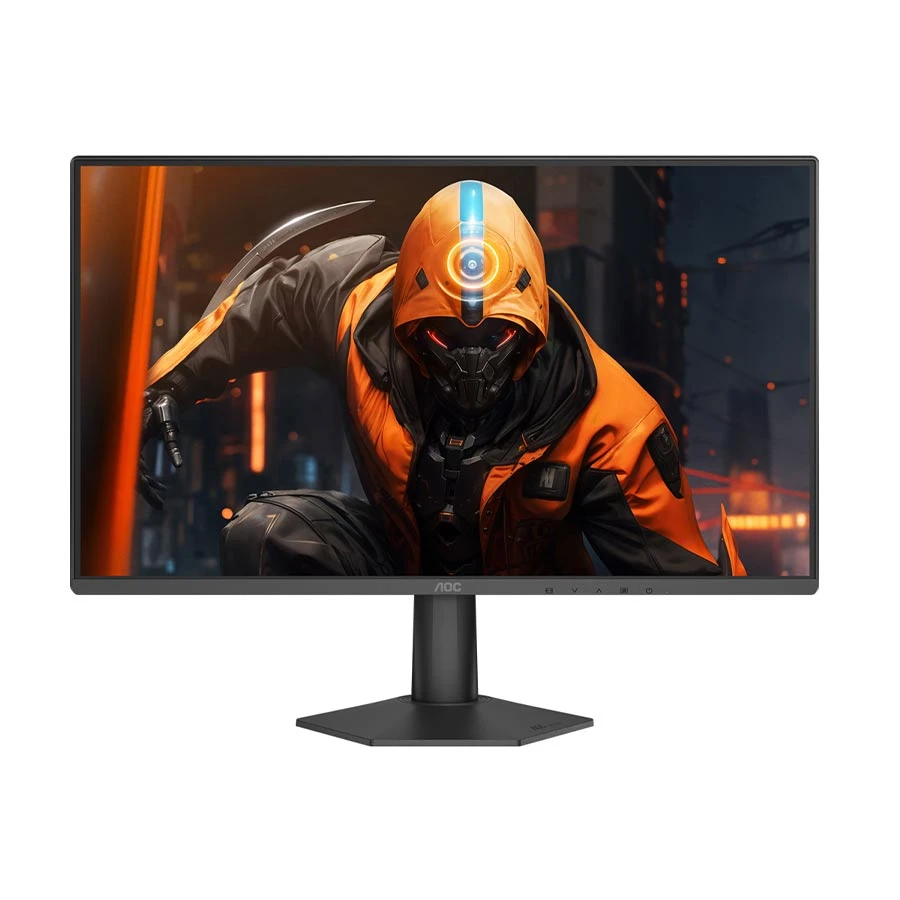
AOC
AOC 24G50Z2 24 Inch FHD 260Hz Fast IPS Gaming Monitor
24 Inch FHD
Fast IPS
260Hz
0.3ms MPRT
24-inch FHD Fast IPS gaming monitor with 260Hz refresh rate,
0.3ms MPRT response time, Adaptive-Sync, HDR10,
HDMI 2.0, DisplayPort 1.4 and 3-year warranty.
Fast VA isn't a separate panel family. It's a VA panel improved for transitions, especially dark scenes where standard VA smears. The goal is to keep VA's contrast while making motion look cleaner in games.
OLED vs QD-OLED
OLED and QDOLED both use self-lit pixels, delivering true blacks and near-instant response times. QDOLED uses quantum dots to boost color volume and brightness. It usually looks more vivid than regular WOLED-style OLED.
LCD vs LED
LCD and LED seem like opposites, but most LED monitors are LCD monitors. LCD typically refers to the display method; LED usually refers to the backlight. An LED monitor is typically an LED-backlit LCD.
Mini-LED vs OLED
MiniLED and OLED improve picture quality in different ways. MiniLED is an LCD with an advanced backlight and dimming zones. OLED uses self-lit pixels for perfect blacks. MiniLED can be brighter, while OLED gives more precise contrast control.
Nano IPS
Nano IPS is LG Display's own IPS variant. Nanoparticles in the LED backlight absorb unwanted wavelengths of light, purifying the white light before it reaches the liquid crystals. It widens the color gamut to around 98% DCIP3, compared to roughly sRGB on standard IPS. It's still an IPS panel, so contrast and IPS glow behave the same.
IPS Black
IPS Black is an LG Display technology developed with Dell. It can offer about twice the native contrast of standard IPS, increasing it from about 1000:1 to around 2000:1. It results in deeper blacks and better contrast than regular IPS panels.
Quantum Dot
Quantum Dot is a color enhancement technology, not automatically a panel type. It uses nanocrystals for purer red and green light, improving brightness efficiency, color accuracy, and color volume in both LCD-based and QDOLED displays.
Conclusion
No panel wins every category, which is why monitor panel types and their uses only make sense against your own priorities.
Choose IPS if you want a versatile monitor for work, study, browsing, and creative tasks. VA is better for movies and darker rooms because of its stronger contrast, while TN still makes sense for competitive gaming where speed matters more than image quality. If picture quality is your top priority and the budget allows, OLED or QD-OLED gives you the strongest overall visual experience.
Remember, "LED monitor" describes the backlight, not the panel. Nano IPS, Fast IPS, and IPS Black are still IPS. Find the panel type, then decide.
Panel type is only one part of the decision. For a complete checklist covering size, resolution, refresh rate, ports, response time, and other key features, read our Monitor Buying Guide.


_1789289328.webp)









Leave a comment