TP‑Link Router Buying Guide for Bangladesh - Home and Gaming Router
Slow internet at home is often not just your ISP problem. It can be your router too. In this blog we will describe the TP-Link Router Buying Guide in a very simple way so you can easily choose the right one for your home.
Here you will learn which router fits your speed, home size, and number of devices. This guide helps you understand what really matters before buying, so you can get smooth Wi-Fi, less lag, and better coverage for daily use at home.
Why Router Choice Matters in Bangladesh
A good internet package alone is not enough. In this TP-Link Router Buying Guide, you will learn why router choice matters. Internet speed depends not only on our ISP but also on our router, Wi-Fi signal, and connected devices. In many Bangladeshi homes, thick walls and multiple rooms can reduce Wi-Fi coverage. Also create weak signal areas.
A better router helps spread Wi-Fi more evenly across the home. It also improves gaming, video streaming, online classes, and office work by reducing lag, buffering, and unexpected disconnections when multiple devices are connected at the same time.
How should you choose a TP-Link router?
Internet Speed
Home Size
Number of Devices
Usage Type
Up to 100 Mbps
Small home
1–5 devices
Browsing, social media, YouTube
100–500 Mbps
Medium home
6–12 devices
Streaming, online class, video calls
500–1000 Mbps
Large home
12–20 devices
Gaming, 4K streaming, heavy use
1000+ Mbps
Multi-floor home
20+ devices
Smart home, professional gaming
To choose the right TP-Link router, match it with your internet speed, home size, number of devices, and daily use. A router that fits your needs will give better speed, coverage, and stability.
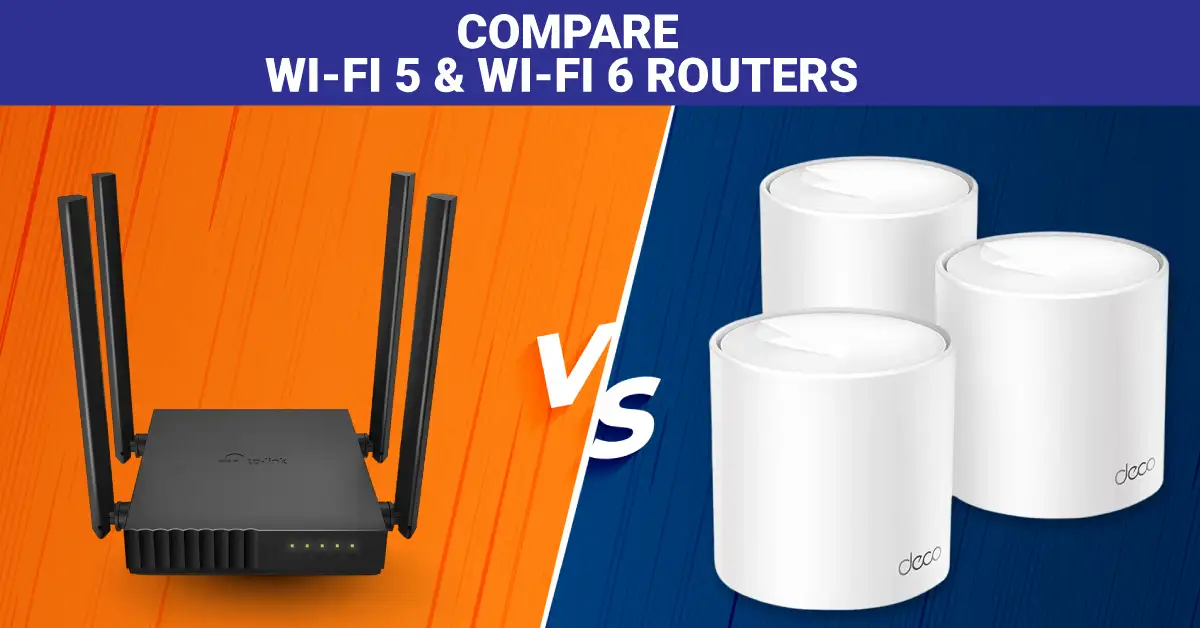
Compare Wi-Fi 5 & Wi-Fi 6 Routers in Bangladesh
Wi-Fi 5 is cheaper and good for simple use. Wi-Fi 6 is faster and better for many devices. It gives less lag, better gaming, and smooth 4K streaming. In Bangladesh, Wi-Fi 6 is better for most homes, but Wi-Fi 5 is fine for basic use.
What Is Wi-Fi 5?
Wi-Fi 5 is a type of Wi-Fi called "802.11ac," made around 2013–2014. It mostly uses the 5 GHz band, so internet feels faster and less busy. It can go up to about 3.5 Gbps speed and uses smart systems like MIMO and beamforming to send data smoothly.
It also allows up to 4 devices to work together at the same time using MU-MIMO. This helps videos play without stopping, and games run better. If your phone shows “5” on Wi-Fi, it means this type is working and giving you a strong connection.
What Is Wi-Fi 6?
Wi-Fi 6 is the newer Wi-Fi standard called IEEE 802.11ax, released in 2019. It works on both 2.4 GHz and 5 GHz bands, so it handles more devices better than Wi-Fi 5. It can reach speeds up to 9.6 Gbps and uses smart tech like OFDMA and 1024-QAM to move data faster and more efficiently.
It also supports up to 8 devices at the same time and helps save battery with Target Wake Time. Wi-Fi 6 is great for busy homes with many phones, TVs, and smart devices.
Wi-Fi 5 vs Wi-Fi 6: Which One Is Better for BD Users?
Wi-Fi 6 is better for most users in Bangladesh because it handles more devices, gives faster and more stable speeds, and works well in crowded homes. It also has lower delay, better security, and saves battery life. Wi-Fi 5 is fine for light use with few devices, but Wi-Fi 6 is more future-ready.
Top TP-Link Routers in Bangladesh
If you want the best TP-Link router for home, gaming, or fiber internet, these are some of the most popular choices in Bangladesh right now.
TP-Model
WiFi Type
Best For
Key Feature
Archer AX15
Wi-Fi 6 (AX1500)
Home and Gaming
Wi-Fi 6, Gigabit Ports
Deco X10
Wi-Fi 6 Mesh
Large Home
Mesh Coverage, AX1500
Archer C86
Wi-Fi 5 (AC1900)
High-Speed Home
AC1900, Gigabit
Deco S7
Wi-Fi 5 Mesh
Multi-Room Home
Mesh Wi-Fi Coverage
Archer AX12
Wi-Fi 6 (AX1500)
Budget Gaming
Wi-Fi 6, Gigabit
TL-WR841N
Wi-Fi 4 (N300)
Small Homes
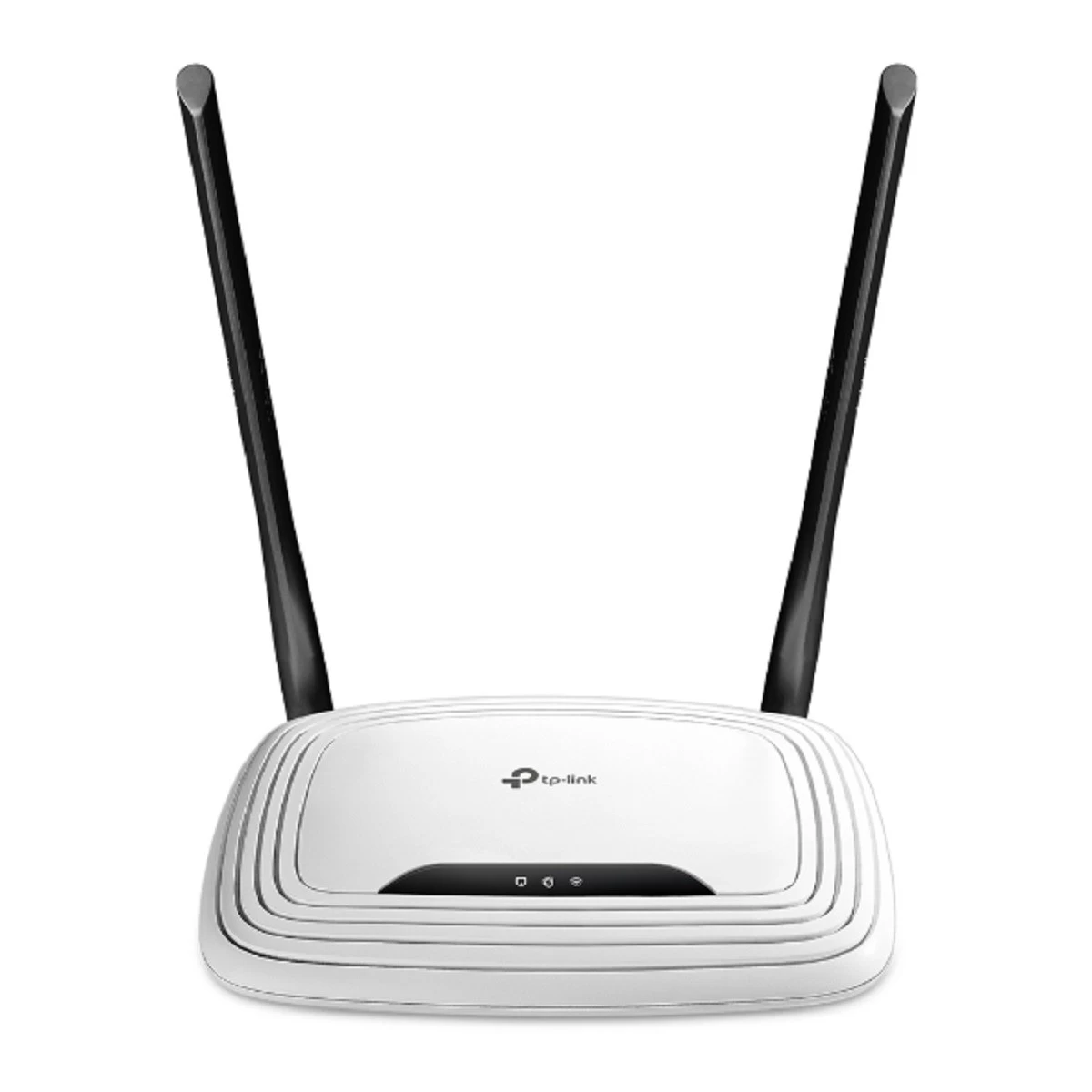
300Mbps, 5dBi Antennas
TL-WR846N
Wi-Fi 4 (N300)
Budget Users
300Mbps, 4-in-1 Mode
Archer C50
Wi-Fi 5 (AC1200)
Dual-Band Use
AC1200, Easy Mesh, 4 Antennas
TL-WR842N
Wi-Fi 4 (N300)
Entry-Level Homes
300Mbps, 5 Ports
Best Router for Home Under 3000 in BD
If your budget is under 3000 BDT, these routers give good speed for home use.
✓
Best budget AC1200 dual-band Wi-Fi router
TP-Link Archer C50 AC1200 Mbps Ethernet Dual-Band Black Wi-Fi Router
AC1200Wi-Fi 5Dual Band4 External Antenna
Special Price
Tk 2,349
Regular Price
Tk 2,500
Save Tk 151
✓Pros
AC1200 Mbps dual-band Wi-Fi speed
Wi-Fi 5 support for regular home internet use
2.4GHz and 5GHz frequency support
4 external antennas for wider wireless coverage
Up to 1500 sq. ft. approximate Wi-Fi coverage
Router, Access Point, and Range Extender mode support
×Cons
LAN and WAN ports are 10/100 Mbps, not Gigabit
No USB interface
No SIM card slot
No 3G/4G support
No VPN support
Not wall mountable
Who Should Buy: This router is suitable for students, small families, HD streamers, casual gamers, and small office users. If you want stable Wi-Fi for browsing, online classes, video streaming, and daily work without spending much, the Archer C50 is worth considering.
What to Check Before Buying: Check your internet speed before buying. The 10/100 Mbps ports can limit speeds above 100 Mbps. Also think about your home size. It works best in small to medium homes, while larger homes may need a mesh system for better coverage.
Specs & Configurations
Important product details are shown below. Click the button to view full specifications.
Brand
TP-Link
Model
TP-Link Archer C50
Router Type
Wireless & Ethernet
Wi-Fi Generation
Wi-Fi 5
Band
Dual
Data Transfer Rate WiFi
1200 Mbps
WiFi Network Standards
IEEE 802.11ac/n/a 5GHz, IEEE 802.11b/g/n
LAN Network Standard
10/100
WAN Network Standard
10/100
Data Transfer Rate LAN
100 Mbps
Interface
1 x 10/100 RJ45 WAN, 4 x 10/100 RJ45 LAN
WAN Port
1
LAN Port
4
USB Interface
No
Internet Connectivity
WAN Only
SIM Card Slot
No
Antenna
4 x External Antenna
WAN Type
Dynamic IP, Static IP, PPPoE, PPTP, L2TP
Wi-Fi Coverage
Up to 1500 sq. ft.
Concurrent User
Up to 20 user connections
3G/4G
No
Mesh Technology
Yes
MIMO Technology
Yes
Operating Frequency
2.4GHz, 5GHz
Operation Mode
Router, Access Point, Range Extender
Security Protocols
WPA, WPA2, WPA3, WPA/WPA2-Enterprise, IPv4, IPv6
Firewall Protocols
SPI Firewall, IP and MAC Address Binding
VPN Support
No
Voice Assistant
No
Built in Antivirus
No
Best For
3 Bedroom Houses
Power
9V - 0.85A
Operating Temperature
0 to 40 degree C
Wall Mountable
No
Button
Reset Button, Power On/Off Button, WPS/Wi-Fi On/Off Button
300 Mbps wireless speed for basic home internet use
Router, Access Point, Range Extender, and WISP modes
2.4GHz Wi-Fi is suitable for longer range coverage
EasyMesh-compatible for flexible Wi-Fi expansion
WPA3, guest network, and parental control support
Good option for budget users and small homes
×Cons
Single-band router, no 5GHz Wi-Fi
10/100 Mbps ports can limit speed above 100 Mbps
Not ideal for heavy gaming or many high-speed users
No USB interface
No SIM card slot or 4G support
Larger homes may need mesh or dual-band coverage
Who Should Buy: This router is a good choice for budget buyers, students, small families, and remote workers. It handles web browsing, online classes, video calls, and HD streaming well. It is also useful for users who need a router, access point, range extender, or WISP mode in one device.
What to Check Before Buying: Check your internet package first. This router is best for speeds up to 90 Mbps. It supports only 2.4GHz Wi-Fi, so crowded areas may face more interference. For larger homes or faster internet plans, a dual-band router will be a better choice.
Specs & Configurations
Important product details are shown below. Click the button to view full specifications.
Brand
TP-Link
Model
TP-Link TL-WR846N
Router Type
Wireless & Ethernet
Wi-Fi Generation
Wi-Fi 4
Band
Single
Data Transfer Rate WiFi
300 Mbps
WiFi Network Standards
IEEE 802.11n/b/g 2.4GHz
LAN Network Standard
10/100
WAN Network Standard
10/100
Antenna
4 x 5dBi Antennas
Wi-Fi Coverage
Unmentioned
Concurrent User
Unmentioned
Internet Connectivity
WAN Only
Working Modes
Router Mode, Access Point Mode, Range Extender Mode, WISP Mode
300Mbps wireless speed for browsing, online classes, and HD streaming
Single-band 2.4GHz Wi-Fi can cover small to medium spaces better through walls
Up to 1500 sq. ft. approximate Wi-Fi coverage
Supports Router, Access Point, Range Extender, and WISP modes
4 LAN ports for wired desktop, TV, or printer connection
Wall mountable design with simple WPS/Reset button
×Cons
No 5GHz Wi-Fi support
10/100 Mbps LAN and WAN ports can limit faster internet plans
No USB interface
No SIM card slot or 3G/4G support
No mesh technology support
No built-in antivirus or voice assistant support
Who Should Buy: This router is a good fit for small to medium homes, students, families, HD streamers, and light gamers. If several devices stay connected at the same time, its 300Mbps Wi-Fi speed can make daily use feel smoother than very basic routers.
What to Check Before Buying: This router supports only 2.4GHz Wi-Fi and has 10/100 Mbps ports. It is best for internet plans up to 100 Mbps. Users who need 5GHz Wi-Fi, faster broadband, or newer Wi-Fi 5 technology should consider a dual-band model instead.
Specs & Configurations
Important product details are shown below. Click the button to view full specifications.
Brand
TP-Link
Model
TP-Link TL-WR841N
Router Type
Wireless & Ethernet
Wi-Fi Generation
Wi-Fi 4
Band
Single
Part No
TL-WR841N
Data Transfer Rate WiFi
300 Mbps
WiFi Network Standards
IEEE 802.11b, IEEE 802.11g, IEEE 802.11n
LAN Network Standard
10/100
WAN Network Standard
10/100
Data Transfer Rate LAN
100 Mbps
Interface
1 x 10/100 RJ45 WAN, 4 x 10/100 RJ45 LAN
WAN Port
1
LAN Port
4
USB Interface
No
Internet Connectivity
WAN Only
SIM Card Slot
No
Antenna
2 x 5dBi External Antenna
WAN Type
Dynamic IP, Static IP, PPPoE, PPTP, L2TP
Wi-Fi Coverage
Up to 1500 sq. ft.
Concurrent User
Up to 15 user connections
3G/4G
No
Mesh Technology
No
MIMO Technology
No
Operating Frequency
2.4GHz
Operation Mode
Router, Access Point, Range Extender, WISP
Security Protocols
64/128/152-bit WEP, WPA, WPA2, WPA-PSK, WPA2-PSK
Firewall Protocols
DoS, SPI Firewall, IP Address Filter, MAC Address Filter, Domain Filter, IP and MAC Address Binding
AX1500 Mbps Wi-Fi 6 speed for modern home internet
2-pack mesh system for wider home coverage
Up to 3900 sq. ft. approximate Wi-Fi coverage
Supports up to 120 user connections
Gigabit WAN/LAN auto-sensing ports
Deco app setup with parental control and easy network management
×Cons
Not the best choice for heavy 1Gbps internet users
Only 2 internal antennas per unit
No built-in antivirus support
No VPN support
Only one LAN port remains if one port is used as WAN
Setup and control need the Deco app and smartphone
Who Should Buy: Buy it if you live in a big home or a 3–4 room flat. It is good for 100–500 Mbps fiber internet. Many devices can run together, like phones, TVs, and laptops, without a big drop.
What to Check Before Buying: Check your home size and buy 2 or 3 units for full coverage. It is not best for heavy 1Gbps users or pro gamers. Also, it uses an app for setup, so you need a smartphone.
Specs & Configurations
Important product details are shown below. Click the button to view full specifications.
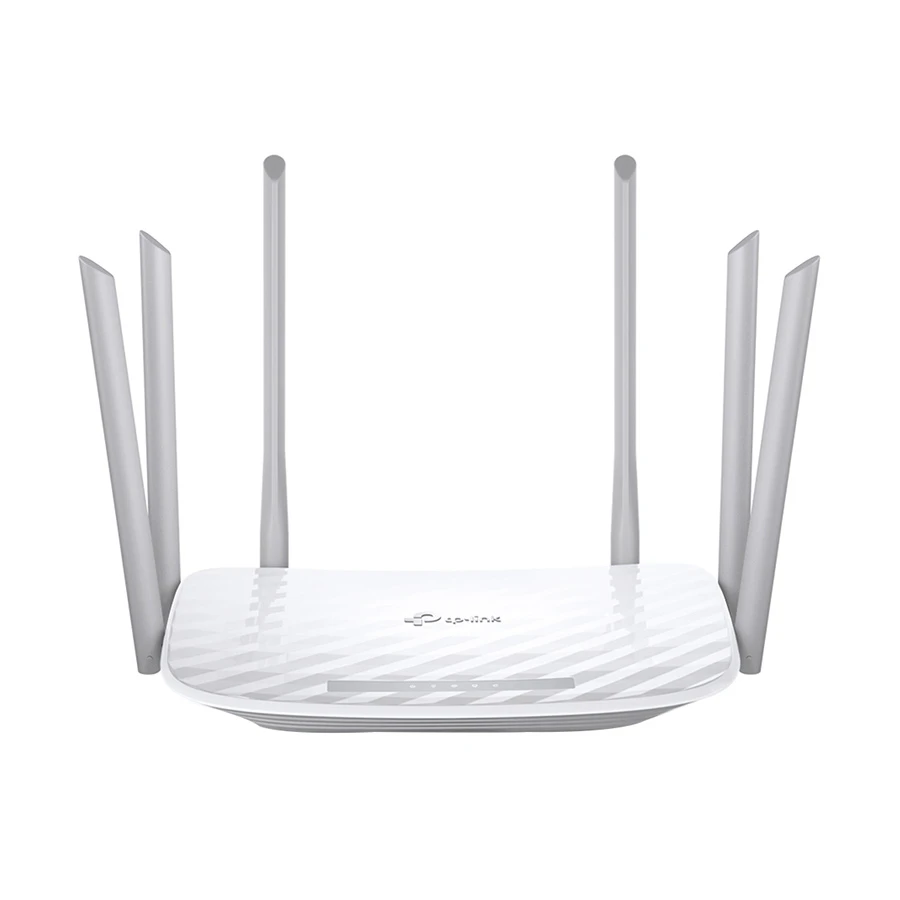
AC1900 Mbps dual-band Wi-Fi speed for gaming, 4K streaming, and family use
1300 Mbps on 5GHz and 600 Mbps on 2.4GHz band
Gigabit WAN and LAN ports for faster wired connection
6 external antennas with Beamforming for stronger Wi-Fi coverage
3 x 3 MIMO and MU-MIMO support for smoother multi-device use
WPA3, parental control, guest network, and Smart Connect support
×Cons
Not a Wi-Fi 6 router
Coverage is listed up to 1500 sq. ft., so it may not cover multi-floor homes well
No USB interface
No SIM card slot or 4G support
No VPN support
No built-in antivirus support
Who Should Buy: Buy it if you live in a 3–4 room home and use 100–500 Mbps internet. It works well for gaming, 4K video, and family use with many phones and TVs. Good for users who want strong range without mesh.
What to Check Before Buying: Check your home size. Around 1,000–1,500 sq. ft. is best for this router. It is not Wi-Fi 6, so newer tech users may skip it. Also, for multi-floor coverage, a mesh system is better.
Specs & Configurations
Important product details are shown below. Click the button to view full specifications.
Brand
TP-Link
Model
TP-Link Archer C86
Router Type
Wireless & Ethernet
Wi-Fi Generation
Wi-Fi 5
Band
Dual
Data Transfer Rate WiFi
1900 Mbps
WiFi Network Standards
IEEE 802.11ac/n/a 5GHz, IEEE 802.11n/b/g 2.4GHz
LAN Network Standard
10/100/1000
WAN Network Standard
10/100/1000
Data Transfer Rate LAN
1000 Mbps
Interface
1 x 10/100/1000 RJ45 WAN, 4 x 10/100/1000 RJ45 LAN
WAN Port
1
LAN Port
4
USB Interface
No
Internet Connectivity
WAN Only
SIM Card Slot
No
Antenna
6 x External Antennas
WAN Type
Dynamic IP, Static IP, PPPoE, PPTP, L2TP
Wi-Fi Coverage
Up to 1500 sq. ft.
Concurrent User
Up to 15 user connections
3G/4G
No
Mesh Technology
Yes
MIMO Technology
Yes
Operating Frequency
2.4GHz, 5GHz
Operation Mode
Router, Access Point
Security Protocols
WPA, WPA2, WPA3, WPA/WPA2-Enterprise
Firewall Protocols
SPI Firewall, Access Control, IP & MAC Binding, Application Layer Gateway
VPN Support
No
Voice Assistant
No
Built in Antivirus
No
Best For
Medium Home
Power
12V - 1.5A
Operating Temperature
0 Degree C to 40 Degree C
Wall Mountable
Yes
Button
1 x WPS/Wi-Fi Button, 1 x Power On/Off Button, 1 x Reset Button
AC1900 Mbps dual-band Wi-Fi 5 speed for family use
2-pack mesh system for larger home coverage
Up to 4000 sq. ft. approximate Wi-Fi coverage
Supports up to 100 user connections
3 x Gigabit WAN/LAN auto-sensing ports
Deco app setup, parental control, guest network, and QoS support
×Cons
Not a Wi-Fi 6 mesh system
Not ideal for heavy 1Gbps internet users
No USB interface
No SIM card slot or 4G support
No built-in antivirus support
Not wall mountable
Who Should Buy: Buy it if you live in a big 4–5 room house with thick walls. It works best for 100–500 Mbps internet and many users at the same time. Very useful for families with phones, TVs, and work-from-home needs.
What to Check Before Buying: Check your internet plan first. It is not for 1Gbps heavy users or Wi-Fi 6 needs. Also, take 2 or 3 units for full home coverage.
Specs & Configurations
Important product details are shown below. Click the button to view full specifications.
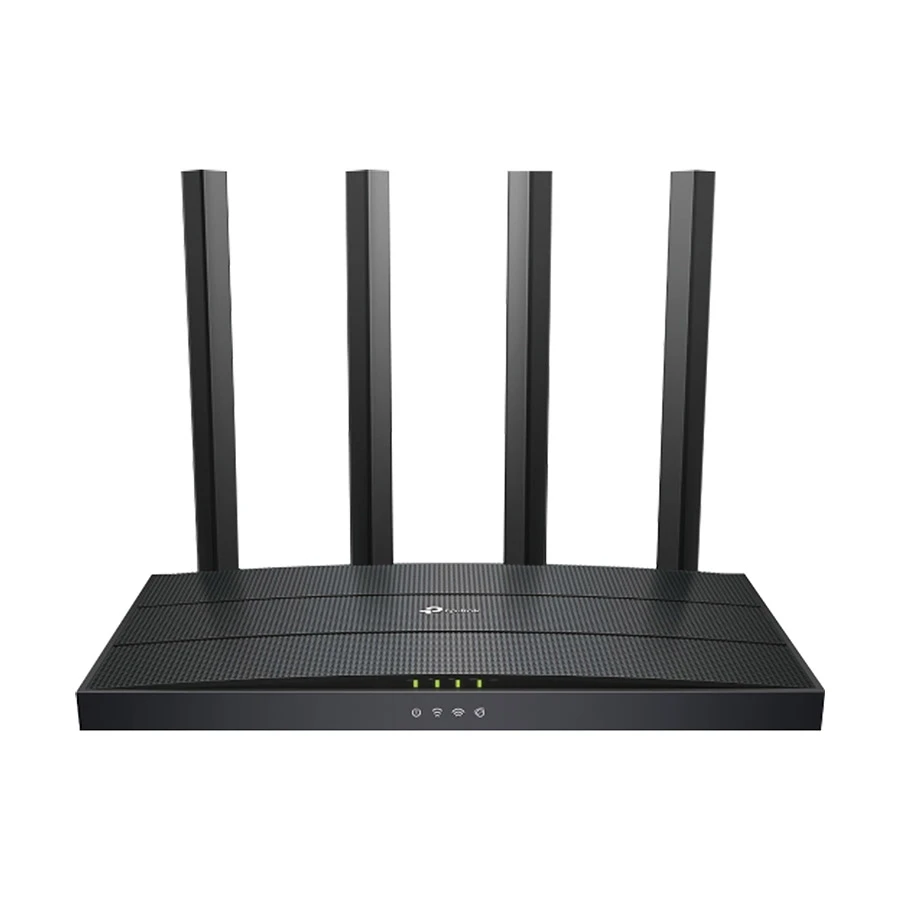
AX1500 Mbps dual-band Wi-Fi 6 speed for modern home use
1201 Mbps on 5GHz and 300 Mbps on 2.4GHz band
Gigabit WAN and LAN ports for faster wired connection
Up to 2000 sq. ft. approximate Wi-Fi coverage
OFDMA, MU-MIMO, Beamforming, and EasyMesh support
Good for online classes, YouTube, casual gaming, and normal broadband use
×Cons
Not ideal for heavy 1Gbps internet use
Only 3 LAN ports
No USB interface
No SIM card slot or 4G support
No voice assistant support
Large or multi-floor homes may need mesh Wi-Fi
Who Should Buy: Buy it if you are a student or budget gamer. It works well for small homes with 100–300 Mbps internet. Good for online classes, YouTube, and casual gaming without lag.
What to Check Before Buying: Check your internet speed before buying. It fits normal broadband, not very heavy 1Gbps use. Also, for big houses or many floors, mesh Wi-Fi will work better.
Specs & Configurations
Important product details are shown below. Click the button to view full specifications.
Good gaming starts with a stable router. If the router is weak, games feel slow and laggy. But the right choice makes everything smooth, even with many devices running at the same time.
Match your internet speed: Choose a router that fits your ISP plan for stable performance
Best overall pick: TP-Link Archer AX15 gives Wi-Fi 6, Gigabit ports, MU-MIMO, and OFDMA for low lag
Budget gaming option: TP-Link Archer AX12 is good for simple and smooth online gaming
Large home setup: TP-Link Deco X10 mesh system removes weak Wi-Fi spots in every room
Gigabit ports matter: Wired gaming becomes more stable and faster
Wi-Fi 6 is important: Better speed handling when many devices are connected
In simple words, a strong router keeps your game smooth, even when the whole house is online.
Who Should Avoid Cheap Gaming Claims?
Avoid cheap “gaming router” ads if you need low ping, have many users, or use 100 Mbps+ internet without Gigabit ports. Also avoid unknown brands without warranty or real gaming features.
What to Check Before Buying a TP-Link Router
Check dual-band, Gigabit ports, MU-MIMO, and Wi-Fi 6 for smooth speed. Strong antennas improve coverage. Also look for WPA2/WPA3 security and warranty for safe daily use.
Dual-Band Support
Dual-band uses 2.4 GHz and 5 GHz together. 2.4GHz gives long range, 5GHz gives fast speed. It reduces lag and works better for many devices in Bangladeshi homes.
Gigabit WAN and LAN Ports
Gigabit ports support up to 1000 Mbps speeds. WAN brings internet, LAN shares it to devices. Without Gigabit, fast fiber internet becomes slow.
Antenna and Coverage
More antennas mean better coverage. 2–3 antennas suit small homes. 4 antennas suit medium homes. It helps Wi-Fi reach every room.
MU-MIMO and Beamforming
MU-MIMO helps many devices work together. Beamforming sends the signal directly to devices. This reduces lag and improves speed during heavy use.
QoS for Gaming and Video Calls
QoS gives priority to gaming, online classes, and video calls. It reduces lag and keeps the connection stable when many users are online.
App Control and Parental Control
App control helps manage Wi-Fi from the phone. Parental control blocks bad sites and sets time limits for kids. It makes home internet safe and easy.
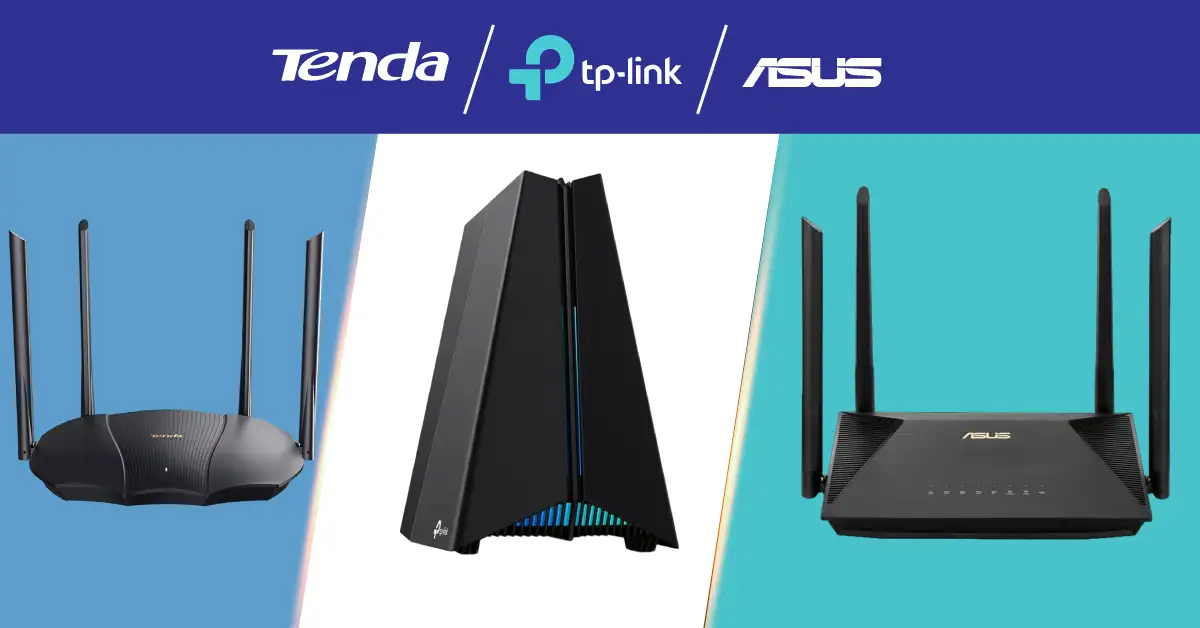
TP-Link vs Tenda vs Asus
TP-Link is the most stable and easiest to use for home internet. Tenda is cheaper but has basic performance. Xiaomi gives smart app control and good design. Asus is expensive but best for gaming and strong speed. For most users in Bangladesh, TP-Link is the safest balance of price and performance.
TP-Link vs Tenda
TP-Link is more stable, faster, and good for long use. Tenda is cheaper but basic in performance. TP-Link is better for gaming and fiber internet, while Tenda is okay for light browsing and small homes only.
TP-Link vs Asus
TP-Link is budget-friendly and good for most homes in Bangladesh. Asus is more powerful and best for heavy gaming and premium speed, but it is expensive. TP-Link is the best value. Asus is a high-end choice.
Common Mistakes Before Buying a Router in Bangladesh
Many people make simple mistakes when buying a router, and later they face slow internet and weak Wi-Fi. If you avoid these, your internet will work much better at home.
Buying Only Based on Antenna Count
More antennas do not always mean better internet. Some routers with fewer antennas give stronger and more stable Wi-Fi because of better technology. Always check speed, Wi-Fi type, and features, not just antenna number.
Ignoring Gigabit Port for Fiber Internet
If you have 100 Mbps or higher internet, you must choose a router with Gigabit ports. Otherwise, your speed will be limited. Many people buy cheap routers with 10/100 ports and lose real internet speed.
Choosing a Cheap Router for Too Many Devices
Very cheap routers cannot handle many phones, TVs, and laptops together. This causes lag and slow Wi-Fi. Always match router power with the number of devices in your home.
Not Checking Warranty and Original Product
Some people buy without checking the warranty or the original brand. This can cause problems later if the router breaks. Always buy from trusted shops and make sure you get a real warranty and an official product.
Final Thought
A TP-Link router buying guide helps you choose the right router for speed, home size, and devices. The right choice gives smooth internet, low lag, and strong coverage for gaming, streaming, and study. Always match router features with your real needs to get stable and fast Wi-Fi at home.
FAQs About TP-Link Router Buying
How long does a TP-Link router usually last?
A TP-Link router usually lasts 3 to 5 years. Good use, proper cooling, and updates can make it last longer.
Can I use a TP-Link router with any BD ISP?
Yes, TP-Link routers work with most ISPs in Bangladesh. Just match the setup with your connection type.
Why does my Wi-Fi speed drop at night?
At night, more users go online. This creates network traffic and slows your internet speed.
Is a mesh router better than a normal router?
Yes, for big homes. Mesh gives full coverage with no weak Wi-Fi spots.
Should I turn off my router at night?
Not needed. You can keep it on. Turning it off only helps save a little power.
Can one router cover a full 3-bedroom flat?
Sometimes yes, but walls may weaken the signal. A strong Wi-Fi 6 or mesh system works better.
Why is my router heating up?
Routers get warm from long use. Keep it in an open place for cooling.
Do I need a technician to set up a TP-Link router?
No, setup is easy. You can do it yourself using your phone or app in a few minutes.










Leave a comment