POSTED ON September 09, 2026 by Md Sad Akkas (Shuvo)
Microsoft 365 vs Office 2024: Which Is Better for Students, Home and Business?
Choosing between Microsoft 365 vs Office 2024 is sometimes confusing as both offer access to familiar Office apps including Word, Excel, and PowerPoint. The key difference is how you pay for them and how you use them. Microsoft 365 works on a subscription model and includes cloud storage, ongoing updates, and different plans for individuals, families, and businesses.
In contrast, Office 2024 is a one-time purchase that gives you a fixed set of desktop applications without a recurring subscription. So, which one should you choose? It depends on your work, the number of devices you use, whether you need cloud services, and how often you want new features.
Quick Answer: Microsoft 365 or Office 2024?
You can simply choose Microsoft 365 if you prefer regular updates, cloud storage, access across multiple devices, and features that work well for online collaboration.
On the other hand, you should go for Office 2024 if you want to pay once, mainly work offline, and do not need a subscription or ongoing cloud services. For example, a student who works on a laptop, phone, and tablet may find Microsoft 365 more convenient. But someone who only needs Word, Excel, and PowerPoint on one computer may prefer Office 2024.
What Are You Actually Buying?
Microsoft 365 Subscription
Microsoft 365 is a subscription service. Depending on the plan, you can get desktop Office apps, web and mobile apps, OneDrive cloud storage, collaboration features, and other services. Your subscription also includes ongoing feature and security updates while the plan remains active.
Office 2024 One-time Purchase
Office 2024 is a one-time purchase. You pay once for the included applications and can use them on the supported licensed device. It does not include the subscription services of Microsoft 365 or ongoing feature upgrades, although security updates are provided.
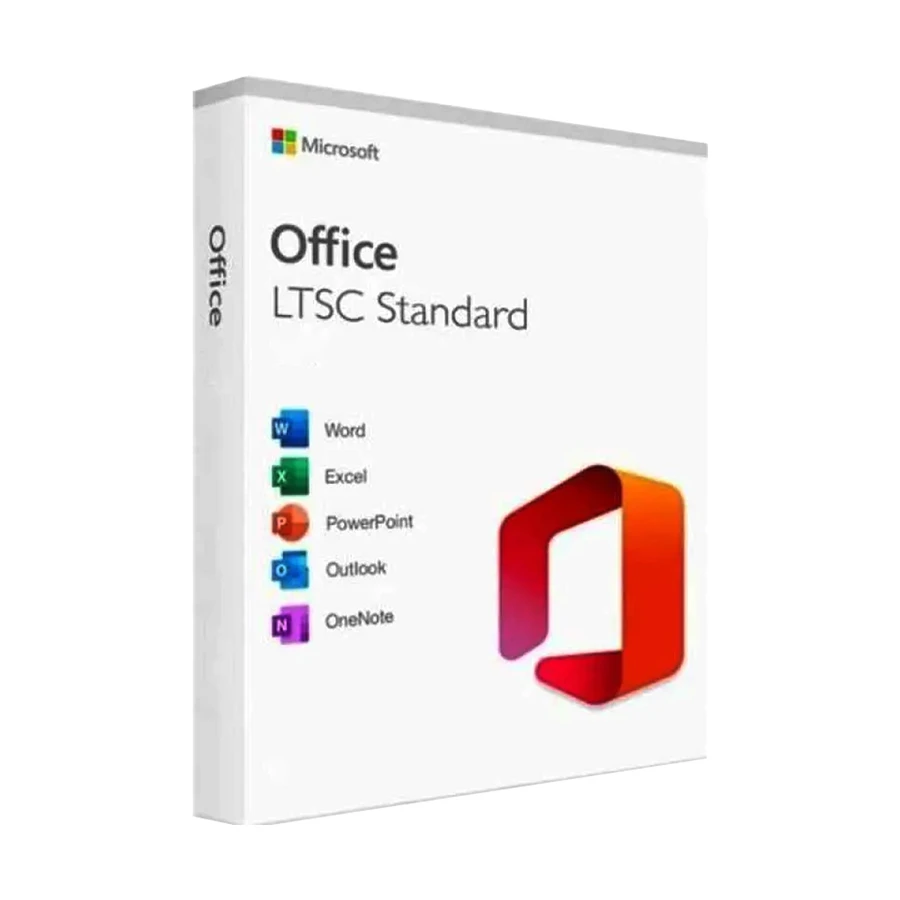
Office LTSC 2024 is designed for organizations that need a stable Office installation and cannot regularly adopt new features. It follows a fixed servicing model rather than receiving ongoing feature updates like Microsoft 365 Apps. It is mainly intended for specific organizational environments and is available through volume licensing.
Microsoft 365 vs Office 2024 Comparison
Feature
Microsoft 365
Office 2024
Payment
Subscription
One-time purchase
Desktop Apps
Depends on plan
Included apps depend on edition
Cloud storage
Included with many plans
Not included
Feature updates
Ongoing
Fixed version
Offline use
Available for supported desktop apps
Yes
Multiple devices
Depends on plan
Generally tied to the licensed device
Collaboration
Strong cloud-based features
More limited
Business mail
Available with selected business plan
Not included
Best For
Students, families, frequent device users and businesses
Home users and those who prefer a one-time purchase
Which Option Fits Students and Home Users?
Students
For students, Microsoft 365 personal can be the best choice if you regularly move between a laptop, phone, and tablet. OneDrive can also make it easier to access documents from different devices and keep your coursework in the cloud.
Also, features for collaboration can be useful when you are working on group assignments or sharing documents with classmates. However, if you only need Word, Excel, and PowerPoint on one computer and prefer to avoid a recurring payment, Office 2024 can make more sense.
Families and Shared Households
Microsoft 365 Familyis designed for households where several people need their own access. Instead of buying separate licenses for every person, a Family plan can support multiple people under one subscription. This can be useful when family members have different computers, tablets, or phones and each person needs their own Microsoft account and files.
But Office 2024 is more suitable when you only need Office applications on a single computer rather than shared access across several people and devices.
One Fixed Home Computer
If your work is limited to one Windows PC or Mac, Office 2024 can be a straightforward option. You pay once and continue using the included Office applications without a Microsoft 365 renewal. This makes it attractive if you do not need extra cloud storage, frequent feature updates, or access across multiple devices.
Which Option Fits Business Use?
Microsoft 365 Business Basic focuses more on cloud-based work, with web and mobile Office apps, business email, cloud storage, and collaboration services. Business plans can also include services such as OneDrive, SharePoint, Exchange Online, and Teams, depending on the plan. But it does not provide the full desktop versions of Word, Excel, and PowerPoint.
So, if your business needs desktop Office applications as well as business services,Microsoft 365 Business Standard may be a better fit.
Business Premium adds further business and security capabilities. Your choice should depend on how your team works, not simply on the number of features listed on the plan.
Microsoft 365 Personal is intended for one person. It can be useful if you use Office across several compatible devices and want cloud storage and ongoing updates. On the contrary, Microsoft 365 Family is designed for multiple people in a household. Each person can have their own account and use the included services within the plan's limits.
So, if only you need Microsoft 365, Personal may be enough. If several members of your household need Office and cloud storage, Family may offer better value.
Office Home 2024 vs Office Home & Business 2024
These two may look similar at first. But the licensing rights are quite different. Office Home 2024 is designed for home and school use. It includes core applications such as Word, Excel, PowerPoint, and OneNote. On the other side, Office Home & Business 2024 is ideal for both personal and business use and also includes Outlook.
This distinction matters if you plan to use the software for commercial work. Always check the license terms for the exact edition you are buying instead of assuming that every Office 2024 version has the same usage rights.
What to Check Before Choosing a Microsoft Office License
Exact Edition and Included Apps
Start by checking exactly which Office edition or Microsoft 365 plan you are buying. The included apps can vary between plans. For example, Microsoft 365 Personal and Family include desktop Office apps and cloud services, while Microsoft 365 Business Basic is focused on web and mobile apps rather than the full desktop versions. Office 2024 editions also differ in the apps and features they include.
Renewal and Long-Term Cost
The payment model is one of the biggest differences between Microsoft Office 365 and Office 2024. Microsoft 365 uses a subscription, so you pay monthly or annually and continue receiving the service as long as the subscription remains active. Office 2024 is purchased with a one-time payment, so there is no regular subscription renewal for that license.
However, the lower upfront cost of Office 2024 does not automatically make it cheaper for everyone. Think about how long you plan to use it and whether you want ongoing feature updates and cloud services.
Final Advice: Choose Based on Your Work, Not Just Price
If you are a student, a family sharing Office, or a business that depends on cloud collaboration, Microsoft 365 can be the more flexible option. But if you mainly need Word, Excel, and PowerPoint on one computer and prefer to pay once, Office 2024 will be a better match.
The key is to compare the actual license, not just the software name. Check the included apps, number of people and devices, OneDrive storage, offline access, updates, business features, and licensing rights before making your decision.
For Microsoft software and related products, you can also explore Microsoft Office products on Ryans and compare the urrent Microsoft Office price in Bangladesh, as subscription and one-time license costs vary by plan and edition.
Frequently Asked Questions
Does Office 2024 include OneDrive storage?
No. Office 2024 is a one-time software purchase and does not include the OneDrive storage benefits associated with Microsoft 365 plans.
Does Microsoft 365 Business Basic include desktop Word, Excel and PowerPoint?
No. Business Basic focuses on web and mobile versions of the Office apps. If your business needs desktop Office applications, consider a plan such as Microsoft 365 Business Standard.
Which Microsoft 365 plan includes desktop apps and custom business email?
Business plans such as Microsoft 365 Business Standard include desktop Office applications and business services such as custom business email. Always check the current plan details before purchasing.
Does every Microsoft 365 plan include Teams or Copilot?
No. Microsoft 365 plans do not all include the same apps or AI features. Teams and Copilot availability can vary by plan, region, and licensing terms, so check the specific plan before subscribing.








Leave a comment