MacBook vs Windows Laptop: Which One Is Right for You?
If you have been scrolling through laptop listings for weeks trying to decide between a MacBook and a Windows laptop, you are not alone. Both are genuinely good machines, neither is automatically "better." The right choice depends on what you actually do every day: your work type, budget, the software you rely on, how much battery life you need, and how long you plan to keep the laptop.
This guide skips the generic "Mac vs PC" debate. Instead, it compares MacBook and Windows laptops by real buying needs for students, freelancers, coders, office workers, musicians, editors, gamers, and frequent travelers in Bangladesh, so you can match the right laptop to your workload and budget.
Key Differences Between MacBook and Windows Laptop
Before getting into specific use cases, here is the quick foundation you need:
Operating system
MacBook runs macOS, which is closed, smooth, and tightly optimized for Apple hardware. Windows laptops run Windows 11, which is open, flexible, and compatible with almost every type of software and hardware in the market.
Price range
Windows laptops in Bangladesh start much lower (around ৳27,000–80,000 for entry-level models), giving you more budget flexibility. MacBook starts higher (MacBook Neo from around ৳95,000, MacBook Air from around ৳1,10,000), but you get strong build quality even at the entry tier.
Battery life
MacBook generally wins here. Apple Silicon (M-series chips) regularly delivers 15–20 hours of real-world battery life, while most Windows laptops average 6–10 hours unless you pay extra for an efficiency-focused model.
Software support
Windows has the widest software and driver compatibility, including older business tools, engineering software, and most PC games. macOS covers creative and development tools well but has gaps in gaming and some specialized industry software.
Gaming
Windows laptops are clearly ahead, thanks to dedicated NVIDIA and AMD GPUs and wider game support.
Repair and service
Windows laptops generally have cheaper, faster, and more widely available repairs in Bangladesh. MacBook repairs are pricier and need Apple-authorized service.
Long-term value
MacBook tends to hold resale value better and receives software updates for longer. Windows laptops offer more upgrade flexibility (RAM/SSD on many models) but depreciate faster.
Gaming, budget buyers, business tools, flexible upgrades
Operating system
macOS
Windows 11
Price range (BD)
~৳95,000 – ৳6,50,000
~৳27,000 – ৳4,90,000+
Battery life
15–20 hours (M-series)
6–10 hours (varies by model)
Performance
Excellent for everyday + creative tasks
Excellent across all categories, including heavy multitasking
Gaming
Limited, mostly casual/cloud gaming
Strong, with dedicated RTX/Radeon GPUs
Editing
Very strong (Final Cut Pro, DaVinci Resolve)
Strong, especially with a dedicated GPU
Coding
Excellent for web, app, and most dev work
Excellent, plus native support for Windows-specific tools
Office work
Smooth, stable, great for long sessions
Smooth, with the widest range of office/ERP software
Portability
Thin, light, long battery life
Varies — ultrabooks are light, gaming models are heavier
Repair/service
Costlier, fewer service points
Cheaper, widely available service support
Resale value
Generally higher
Moderate, depends on brand and condition
MacBook vs Windows Laptop by Use Case
Different users need different things from a laptop. A student may care more about battery life and portability, while a gamer needs strong graphics performance. Freelancers may look for smooth multitasking and long-term reliability, and office workers usually need comfort, software compatibility, and easy service support. Here’s how MacBook and Windows laptops compare based on common use cases.
MacBook vs Windows Laptop for Students
For school, college, and university students, the budget usually decides the answer first. If your coursework is mostly documents, presentations, research, and browsing, a mid-range Windows laptop (Core i5/Ryzen 5, 8–16GB RAM) gives you excellent value and leaves money for accessories or a printer. If you're an engineering, architecture, or media student running CAD, simulation, or heavier design software, you'll likely need a Windows laptop with a dedicated GPU anyway, since most specialized academic software is Windows-first.
A MacBook Air makes more sense if your study load is lighter (notes, writing, browsing, light design) and you want long battery life for full days on campus without carrying a charger. It's also a strong pick if you're already inside the Apple ecosystem (iPhone, iPad) and want everything to sync seamlessly.
MacBook vs Windows Laptop for Coding
For web development, app development, and general CSE coursework, both platforms work well, but the right pick depends on your stack. macOS is popular for iOS/macOS app development (you need a Mac for Xcode), and its Unix-based terminal is comfortable for web and backend developers. Apple Silicon also handles local development environments and Docker containers efficiently without much fan noise.
Windows offers more flexibility if you work with .NET, game development, or Windows-specific enterprise tools, and WSL (Windows Subsystem for Linux) now gives you a near-native Linux experience for most data science and AI workflows. If you're doing AI/ML work that depends on NVIDIA GPUs and CUDA, a Windows laptop with a dedicated GPU is the more practical option.
MacBook vs Windows Laptop for Office Work
For day-to-day office work, Microsoft Office, email, video calls, and company software, both platforms perform reliably. The MacBook stands out for its quiet operation, comfortable keyboard, sharp display, and dependable all-day battery life, which matters if you're in back-to-back meetings without easy access to a charger.
Windows laptops remain the safer choice if your company uses specific Windows-only software, VPN tools, or older enterprise systems, which is still common across many Bangladeshi businesses. A mid-range Windows laptop with a good webcam, stable Wi-Fi, and 16GB RAM comfortably handles multitasking across spreadsheets, browser tabs, and video calls.
MacBook vs Windows Laptop for Music Production
For recording and mixing, MacBook has a strong reputation in music production, mainly because of Logic Pro (Mac-only) and macOS's stable, low-latency audio engine. If you're serious about production, a MacBook Air or Pro is a dependable long-term investment.
Windows laptops handle FL Studio, Ableton, and Cubase very well too, with more port variety and easier access to budget-friendly audio interfaces. If FL Studio is your tool of choice, a Windows laptop with 16GB RAM and fast SSD storage works just as well.
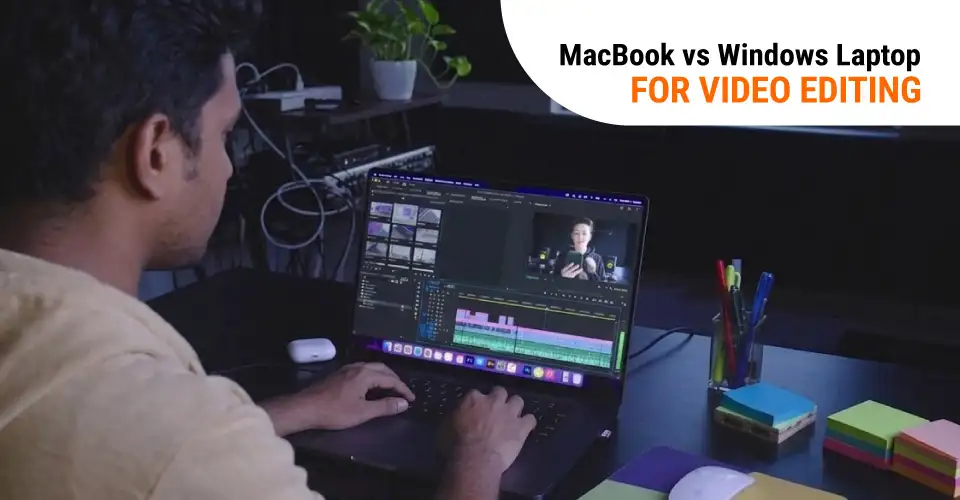
MacBook vs Windows Laptop for Video Editing
For YouTube content, social media videos, and 4K editing, this comes down to your editing software. If you use Final Cut Pro or DaVinci Resolve, MacBook (especially MacBook Pro with M-series Pro/Max chips) delivers excellent rendering speed, color accuracy, and battery efficiency for editing on the go.
If your workflow is built around Adobe Premiere Pro, a Windows laptop with a dedicated NVIDIA GPU often gives you better performance per taka, since you can choose the exact GPU tier you need. For heavy 4K/multi-cam projects, prioritize RAM (16GB minimum, 32GB preferred), fast NVMe SSD storage, and a strong display on either platform.
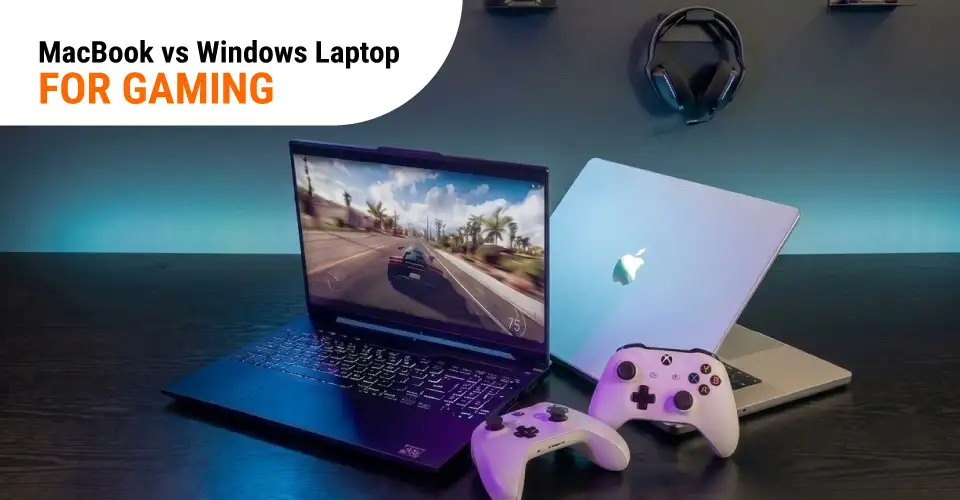
MacBook vs Windows Laptop for Gaming
This is one of the clearest differences between the two. Windows laptops are the better choice for gaming, period. Wider GPU options (RTX 3050 to RTX 4090-class cards), broader game support, high-refresh-rate displays (144Hz–240Hz), and the ability to choose your exact performance tier all favor Windows.
MacBook can run some casual and cloud-streamed games reasonably well, but it's simply not built or priced for serious gaming. If gaming is a priority, go with a dedicated Windows gaming laptop rather than trying to make a MacBook double up as a gaming machine.
MacBook vs Windows Laptop for Travel and Portability
If you travel often or move between home, campus, and office, weight and battery life matter more than raw specs. MacBook Air is hard to beat here. It's light, slim, has a compact charger, and easily lasts a full day without needing a power outlet. Build quality also holds up well to daily travel wear.
Windows ultrabooks (slim business laptops) can match this closely, but gaming laptops are usually heavier and need their chargers nearby, since battery life drops fast under heavier use. If travel and portability are your top priority, a lean MacBook Air or a lightweight Windows ultrabook is perfect, not a gaming laptop.
MacBook vs Windows Laptop for Long-Term Use
Over 3–5 years, build quality, battery health, and software support matter more than day-one specs. MacBooks hold up well physically, get years of macOS updates, and resell at strong prices in Bangladesh's secondhand market. The trade-off: RAM and SSD are soldered, so buy slightly more than you think you need upfront.
Windows laptops, especially mid-range and business models, often allow RAM or SSD upgrades later, extending usable life on a budget. Repair parts are also cheaper and easier to find locally though resale value generally trails MacBook.
Mac vs. Windows PC: A Complete Comparison
To make the comparison clearer, let’s look at the main pros and cons of MacBook and Windows laptops.
MacBook
Highlight Features
Premium build quality with a clean, modern design
Long battery life on Apple M-series chips
Smooth performance for daily and creative work
Excellent for editing, design, coding, and office use
Strong security with fewer common malware issues
Works smoothly with iPhone, iPad, and Apple Watch
Silent operation on many base MacBook models
Usually holds better resale value over time
Drawbacks
Higher starting price than most Windows laptops
RAM and storage cannot be upgraded later
Not the best choice for serious gaming
Limited port options without an adapter or hub
Repair cost can be higher in Bangladesh
Some business and legacy software may not run natively
No touchscreen or 2-in-1 convertible option
Windows Laptop
Highlight Features
Available in many brands, sizes, and budgets
Better option for gaming with dedicated GPUs
Many models allow RAM and SSD upgrades
Supports the widest range of software and tools
Touchscreen and 2-in-1 models are available
Often includes HDMI, USB-A, and other useful ports
Repair and servicing are easier to find locally
More affordable choices for students and office users
Drawbacks
Battery life is usually shorter than MacBook
Build quality depends heavily on price and brand
More commonly targeted by malware and viruses
Performance varies across different models
Gaming laptops can become hot and noisy
Resale value usually drops faster than MacBook
Some brands include extra pre-installed software
Which one For You?
It comes down to your priorities. Choose a MacBook if you do creative work (video, design, audio), already use an iPhone/iPad, want long battery life (15–20 hours), and don't mind paying more for a polished, low-maintenance experience with no upgrade options.
Choose a Windows laptop if you're on a tighter budget, want to game with a dedicated GPU, need specific software like CAD or ERP tools, want the flexibility to upgrade RAM/storage later, or simply want more choice in brands and price points. When in doubt, match the laptop to the task you do most often, not your occasional one.
Which One Should You Buy Based on Your Work?
Buy a MacBook (Air) If:
You want long battery life and a lightweight design for study, office work, or freelancing
You're already using an iPhone or iPad and want a connected ecosystem
Your work is writing, browsing, light editing, or general productivity
Buy a Windows Laptop If:
Your budget is limited and you want the best specs for the price
You use Windows-only office, business, or engineering software
You want the flexibility to upgrade RAM/SSD later
Buy a MacBook Pro If:
You do serious video editing, music production, or software development professionally
You need strong, sustained performance with excellent battery efficiency
You're a creative professional who relies on Final Cut Pro, Logic Pro, or DaVinci Resolve
Buy a Gaming or Performance Windows Laptop If:
Gaming is a core part of why you're buying a laptop
You need a dedicated GPU for editing, 3D rendering, or AI/ML work
You want a high-refresh-rate display for fast-paced games
Whichever direction fits your work, you can compare current models in Ryans'all laptops collection, browse Apple's lineup in theMacBook category, or check dedicatedgaming laptops if performance and GPU power are your priority. Ryans also stocks a wide range of professional laptops and laptop accessories, plus EMI options, so you can plan your full setup and payment in one place.
FAQs
Is MacBook better than Windows laptop?
Neither is universally "better." MacBook is stronger for battery life, build quality, and creative software like Final Cut Pro. Windows laptops win on price flexibility, gaming, and software compatibility. The right choice depends on your work type and budget.
Is 8GB RAM enough for a MacBook or Windows laptop?
8GB is enough for basic browsing, documents, and light multitasking on either platform. If you edit video, run multiple heavy apps, or do development work, 16GB is a safer choice for smoother long-term performance.
Are MacBook accessories more expensive than Windows laptop accessories?
Generally, yes. Official Apple accessories (chargers, adapters, cases) tend to cost more than equivalent Windows laptop accessories, partly due to Apple's proprietary connectors and design. Third-party options can narrow this gap.
Does a MacBook need antivirus like a Windows laptop?
MacBook faces fewer malware threats than Windows due to its smaller market share and app review process, but it isn't immune. Basic safe browsing habits are usually enough for most users; Windows laptops benefit more from active antivirus protection due to a larger volume of targeted threats.
Which one is safer for online banking, office files, and personal data?
Both are secure when kept updated and used carefully. MacBook has a slight edge through its tighter hardware-software integration and sandboxing, but a properly updated and protected Windows laptop is equally safe for everyday banking and office use.
Can I upgrade RAM or SSD later on MacBook and Windows laptop?
On most modern MacBooks, RAM and SSD are soldered and cannot be upgraded later, so choose your configuration carefully at purchase. Many Windows laptops, especially mid-range and business models, allow RAM and/or SSD upgrades later, giving you more long-term flexibility.
Is a gaming laptop good for freelancing?
Yes. A gaming laptop's strong CPU, GPU, and RAM make it capable for freelance video editing, design, and even coding work, not just gaming. The trade-offs are shorter battery life and extra weight compared to a dedicated ultrabook or MacBook Air.
What laptop specs are best for Fiverr and Upwork work?
For most freelance work (writing, design, video editing, virtual assistance), aim for a Core i5/Ryzen 5 or Apple M-series chip, 16GB RAM, and a 512GB SSD at minimum. If your gigs involve heavy video or 3D work, prioritize a dedicated GPU and consider 32GB RAM for smoother rendering.







Leave a comment