How to Buy a Gaming Monitor - A Complete Guide for Gamers
A gaming monitor is a specialized display engineered to deliver fast refresh rates, ultra-low input latency, and superior motion clarity. Unlike standard office displays, a quality gaming monitor eliminates screen tearing, minimizes motion blur, and ensures smooth visual output during high-speed gameplay. Whether you are a budget gamer building your first setup or a competitive esports player in Bangladesh, knowing how to choose a gaming monitor in BD ensures you get the highest performance for your hard-earned money.
This comprehensive guide walks you through screen resolution, panel technologies, refresh rates, and recommended models available at Ryans.
Which Gaming Monitor Should You Choose?
Choosing the right monitor depends on your primary gaming genre, hardware setup, and budget. The breakdown below details the ideal specifications for every type of gamer:
What Gaming Monitor Specs Match Your Gaming Needs?
Your ideal gaming monitor depends on the games you play, your PC or console, and the resolution and frame rate your hardware can realistically support. Use this quick comparison to narrow down the right specifications.
User Type
Recommended Specs
Best For
Budget Gamers
24-inch
Full HD
100Hz–144Hz
IPS or VA
Adaptive-Sync
Affordable 1080p gaming
Esports Players
24–25 inch
Full HD
240Hz or higher
Low GtG response time
Adaptive-Sync
Adjustable stand
Competitive FPS and esports
QHD Gamers
27-inch
2560 × 1440 QHD
144Hz–180Hz
Fast IPS
Adaptive-Sync
Sharper visuals with high refresh rates
Immersive & Racing Gamers
32-inch or 34-inch+
UWQHD or higher
21:9 ultrawide
120Hz+
VA, IPS or OLED
Curved display optional
Racing, simulation and open-world games
Console Gamers
27–32 inch
Full HD or 4K
120Hz support
VRR support
HDMI 2.1 for 4K 120Hz
Audio output
PlayStation 5 and Xbox Series X/S
Creator-Gamers
27–32 inch
QHD or 4K
IPS or OLED
Wide color gamut
120Hz+
USB-C useful for laptop setups
Content creation and gaming on one display
Recommended gaming monitor specifications by gamer type
Start with Your Games, Device, and Target Frame Rate
Your choice of display should always align with the specific game genres and hardware.
Competitive & Esports Games
Focus on motion clarity, minimal input delay, and a compact 24-inch to 25-inch screen. High refresh rates like 240Hz provide a true competitive edge, provided your graphics card consistently delivers high frame rates.
Story & Open-World Games
Prioritize rich contrast, vibrant colors, and sharp resolutions like 1440p (QHD) or 4K UHD. Curved screens (1000R–1500R) expand your field of view for immersive environments.
Racing & Simulation Games
Ultrawide 34-inch (21:9) displays offer an expanded peripheral view. Higher pixel counts increase graphics processing load but yield realistic dashboard and track details.
Console Gaming Setups
Verify native 120Hz at 4K/1080p output, HDMI 2.1 connectivity, and Variable Refresh Rate (VRR) support for PS5 and Xbox Series X.
Creator-Gaming Setups
Require color-critical panels with Delta E < 2 factory calibration, wide color spaces (100% sRGB, DCI-P3), and USB-C DisplayPort Alt Mode for single-cable laptop connectivity.
Match the Monitor to Your Graphics Hardware
To avoid bottlenecking your system, pair display resolution and refresh rate directly with your GPU capability:
Performance Tier
Recommended Monitor
Desktop GPU Examples
Laptop GPU Examples
Console Fit
Entry-Level
24" Full HD100Hz–144Hz
GTX 1650 class
RX 6500 XT class
RTX 2050
RTX 3050 class
PS4, Xbox One and similar 1080p setups
Mainstream
27" QHD144Hz–180Hz
RTX 4060 class
RX 7600 XT class
RTX 4060 class
RTX 4070 class
PS5, Xbox Series S and Switch 2 high-refresh modes
High-End
27"–32" 4K 120Hz–165Hzor high-refresh ultrawide
RTX 4080-class or higher
RX 7900 XTX-class
RTX 4080 class
RTX 4090 class
PS5 / PS5 Pro and Xbox Series X for up to 4K 120Hz
Gaming monitor recommendations by PC, laptop and console performance level
GPU examples are general performance references, not guaranteed frame-rate targets. Actual gaming performance depends on the game, graphics settings, GPU power limit, CPU and technologies such as upscaling or frame generation.
Why Refresh Rate and FPS Must Work Together
Refresh Rate (Hz)
Represents how many times per second the display updates its image. A 144Hz or 240Hz monitor updates 144 or 240 times every second, dramatically reducing motion blur and rendering fluid movement.
Frames Per Second (FPS)
Represents the number of visual frames rendered by your graphics card each second.
The Performance Balance
A high refresh rate monitor requires a powerful GPU to output matching FPS. If your GPU renders 60 FPS on a 180Hz display, you will only see 60 visual updates per second. Adaptive sync technology bridges minor frame gaps to prevent screen tearing.
Choose the Right Screen Size and Resolution
Screen resolution determines image sharpness, while screen size impacts viewing distance and desk footprint. Pixel density, measured in Pixels Per Inch (PPI), dictates visual clarity.
Screen Size
Resolution
Ideal For
Pixel Density & Setup Notes
24–25 Inches
Full HD1920 × 1080
Competitive & 1080p gaming
~88–92 PPI. Easier for mid-range GPUs to reach high frame rates.
27 Inches
QHD2560 × 1440
Mainstream gaming & daily work
~109 PPI. Strong balance between image detail and GPU demand.
32 Inches
QHD or 4K UHD2560 × 1440 / 3840 × 2160
Immersive gaming & media
QHD ~92 PPI; 4K ~138 PPI. 4K looks much sharper but requires more GPU performance.
34 Inches Ultrawide
UWQHD3440 × 1440
Ultrawide gaming & productivity
~110 PPI. The 21:9 format provides more horizontal viewing space.
Gaming monitor screen size and resolution guide
Understand Refresh Rate, Response Time, and Input Lag
Refresh Rate (Hz)
Higher frequency refresh rates (144Hz, 180Hz, 240Hz) speed up frame delivery, offering smoother animation and cleaner target tracking.
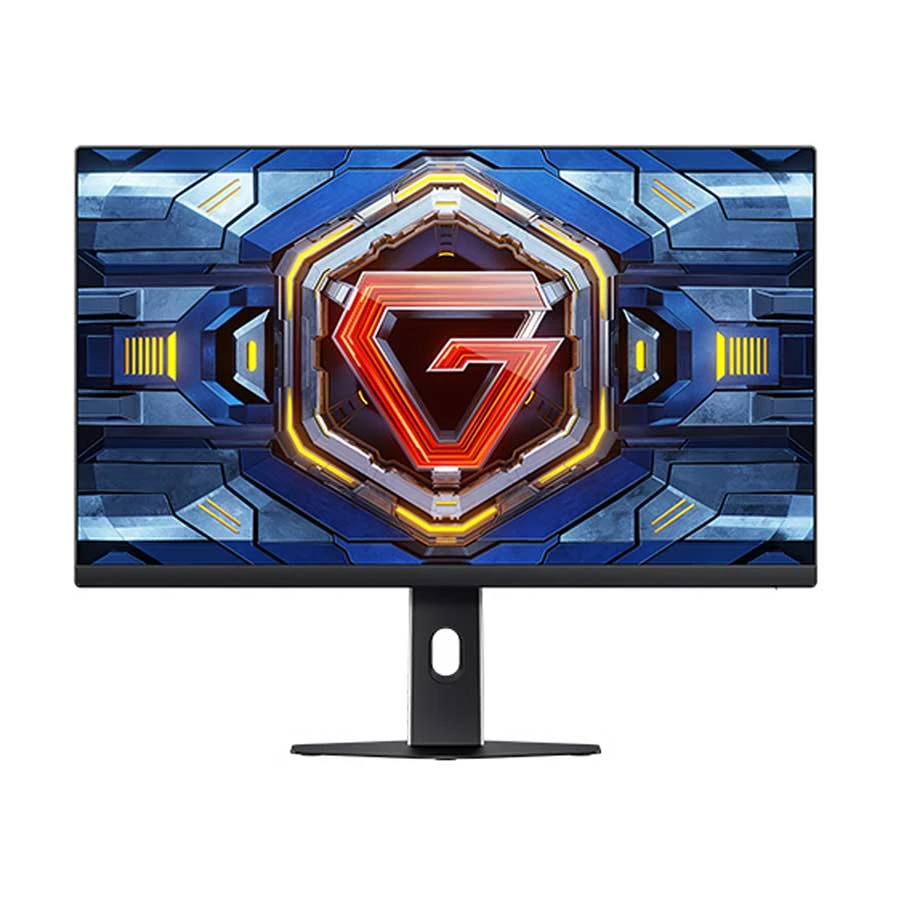
24.5 Inch
Full HD IPS
300Hz
1ms
2 × HDMI
2 × DisplayPort
Adaptive-Sync
24.5-inch Full HD IPS gaming monitor with a 300Hz refresh rate,
1ms response time, dual HDMI and dual DisplayPort connectivity.
Adaptive-Sync support helps provide smoother gameplay on compatible systems.
Measures how quickly individual pixels change colors. A low 1ms GtG (Gray-to-Gray) rating prevents distracting ghosting and trail artifacts behind fast-moving objects.
Input Lag
The real-time processing delay between pressing a button on your mouse/keyboard and seeing the action register on screen. Dedicated Game Modes bypass extra video processing to keep latency under 5ms.
Why Every "1ms" Claim Is Not Equal
Marketing labels can be misleading. GtG measures color transition speed, whereas MPRT (Moving Picture Response Time) measures motion clarity via backlight strobing.
Aggressive overdrive settings can cause pixel overshoot (inverse ghosting). Always evaluate independent response time benchmarks before buying.
Panel Types Compared: IPS vs. VA vs. TN vs. OLED vs. Mini LED
Panel technology dictates contrast ratios, viewing angles, motion clarity, and color representation:
Lower contrast than VA; dark-room blacks may look lighter
Strong color consistency and wide viewing angles
Weaker black depth than VA or OLED
All-round gaming & creative work
VA
Good, but varies by model
Higher native contrast than most IPS or TN LCD panels
Good color with strong dark-scene performance
Some models can show dark smearing or ghosting
Immersive & single-player gaming
TN
Very fast LCD response
Generally modest LCD contrast
More color shift and narrower useful viewing angles
Image quality is usually weaker than IPS, VA or OLED
Competitive esports
OLED
Extremely fast pixel response
Pixel-level light control produces true blacks and extremely high contrast
Excellent color and wide viewing angles
Burn-in remains a consideration with prolonged static content
Premium gaming & HDR
Mini LED LCD
Depends on the underlying LCD panel
Local dimming improves black levels and HDR contrast
High brightness and strong HDR performance on capable models
Blooming can appear around bright objects in dark scenes
Bright HDR gaming & mixed use
Gaming monitor display technology comparison
Panel characteristics vary by model. Response time, contrast, brightness and color performance should always be checked on the exact monitor rather than assumed from the display technology alone.
Adaptive Sync, Port Specifications, and Compatibility
Adaptive Sync (Eliminating Screen Tearing)
Dynamic refresh rate technologies like AMD FreeSync, NVIDIA G-SYNC Compatible, and VESA AdaptiveSync synchronize display refresh rates directly with GPU output frames. This eliminates screen tearing and stutters during frame fluctuations.
Port Specifications & Bandwidth
DisplayPort 1.4 / 2.1: The standard connection for PC gaming, supporting high refresh rates at 1440p and 4K resolutions with full color bandwidth.
HDMI 2.1: Crucial for modern gaming consoles and GPUs, offering 48Gbps bandwidth to transmit 4K at 120Hz/144Hz with uncompressed 4:4:4 color.
USB-C (DP Alt Mode): Allows gaming laptops to output video signals while simultaneously receiving power delivery (65W–90W PD) over a single cable.
HDR, Color Gamut, and Brightness
HDR (High Dynamic Range): Expands brightness and color range. True HDR performance requires local dimming zones and at least DisplayHDR 600 or DisplayHDR 1000 certification.
Color Coverage: Look for displays offering 100% sRGB coverage for general gaming, and 90%+ DCI-P3 or Adobe RGB for wide color gamuts and realistic environment rendering.
Brightness (Nits): Measured in nits (cd/m²). Standard displays offer 250–300 nits, while bright rooms or HDR content benefit from 400–1000+ nits with anti-glare screen coatings.
Ergonomics, Mounting, and Built-In Features
Ergonomic Stand
Look for Height adjustment (0–120mm), Tilt (-5° to +20°), Swivel, and Pivot (portrait mode) capabilities to maintain posture and prevent neck strain.
VESA Mount Standard
Standardized 75x75mm or 100x100mm hole patterns allow easy attachment to third-party monitor arms or wall mounts.
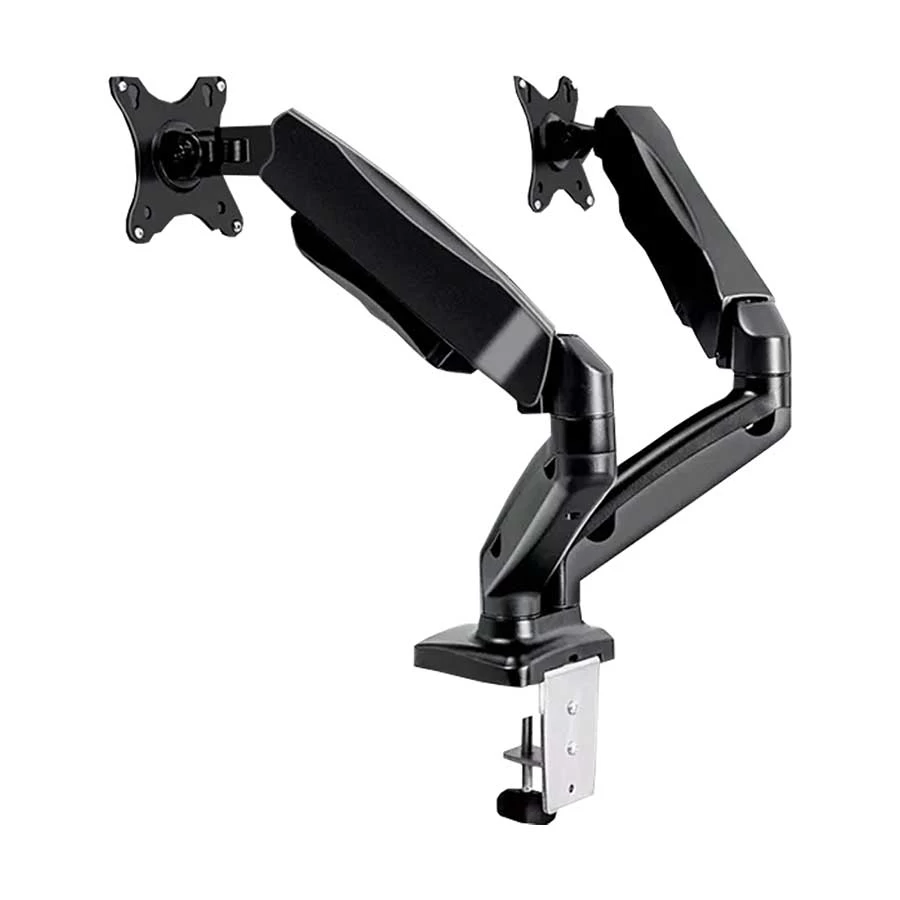
17–27 Inch
Dual Monitor
Gas Spring
6.5kg Per Arm
VESA 75 / 100mm
360° Rotation
Dual-arm gas spring monitor mount for two 17–27 inch displays.
Supports up to 13kg total load, 410mm height adjustment,
360° rotation and built-in cable management.
Ensure your desk depth permits at least 20–30 inches of viewing distance to prevent eye fatigue.
Audio Connectivity
Integrated built-in speakers offer casual sound, while a 3.5mm headphone jack or pass-through DAC routes clean audio signals to desktop speakers or headsets.
Recommended Gaming Monitors Available at Ryans
Here are top-rated entry-level gaming displays available at Ryans Computers:
Note: Prices may change at any time. Please check the live Ryans monitor category and product page for the latest price before making a purchase decision.
Common Gaming Monitor Buying Mistakes to Avoid
Over-prioritizing Refresh Rate
Focusing exclusively on a high 240Hz refresh rate while ignoring color accuracy, panel contrast, and color gamut leads to flat, washed-out gaming visuals despite smooth motion.
Mismatching Resolution & GPU
Purchasing a demanding 4K UHD monitor for an entry-level graphics card causes severe frame rate drops. Always match pixel density with your graphics card processing capability.
Believing Fake "1ms" Claims
Manufacturer response time marketing specs rely on extreme pixel overdrive settings that cause inverse ghosting. Always check independent GtG motion testing benchmarks instead of relying on box labels.
Ignoring VRR Range
Buying an AMD FreeSync or NVIDIA G-SYNC display without checking its variable refresh rate boundaries leads to screen tearing whenever frame rates drop below the supported window.
Buying "Fake HDR"
Selecting basic DisplayHDR 400 support without local dimming yields washed-out visuals. True high dynamic range requires local dimming, high peak brightness, and wider DCI-P3 color coverage.
Overlooking Port Versions
Failing to verify HDMI 2.1 or DisplayPort 1.4 standards creates severe bandwidth bottlenecks, which prevent high-refresh gaming monitors from delivering their full resolution and maximum frame rates.
Neglecting Desk Depth
Purchasing large 32-inch displays without measuring your desktop depth causes severe eye strain and neck fatigue. Maintain proper ergonomic viewing distance to ensure comfortable long-duration gaming sessions.
Forgetting VESA Compatibility
Ignoring monitor mounting capabilities restricts ergonomic arm setup options. Always verify square VESA mounting hole patterns and weight ratings before purchasing aftermarket desktop monitor arms or mounts.
Ignoring Warranty Policies
Overlooking dead pixel policies and brand warranty terms introduces financial risk. Review comprehensive coverage details and official warranty support in BD before finalizing your purchase.
Relying on Stale Prices
Relying on outdated price tags leads to budgeting errors from market fluctuations. Verify real-time retail pricing and current promotional offers on Ryans.com before making your decision.
Final Gaming Monitor Buying Checklist
Match Resolution: Pair 1080p, 1440p, or 4K directly with your graphics card capability.
Select Refresh Rate: Choose 100Hz, 144Hz, 180Hz, or 240Hz+ based on your target game FPS.
Choose Panel Tech: Pick IPS (balanced colors/speed), VA (deep contrast), or OLED (ultimate speed/contrast).
Verify Ports: Ensure DisplayPort 1.4 or HDMI 2.1 availability for your PC or console.
Confirm Ergonomics & Warranty: Check height adjustability, VESA mount support, and official warranty coverage in Bangladesh.
Why Buy Your Gaming Monitor from Ryans?
Ryans is one of the premier computer hardware retailers in Bangladesh, providing 100% genuine products, official brand warranties, and comprehensive after-sales technical support. Customers across Bangladesh benefit from:
Nationwide home delivery and physical branch locations.
Flexible EMI payment options across major banks.
Easy online specification comparison tools and secure checkout on Ryans.com.









Leave a comment